
- 版本
- 1.0
- 大小
- 2.2 MB
- 更新
- 2026-11-25
应用预览
应用介绍
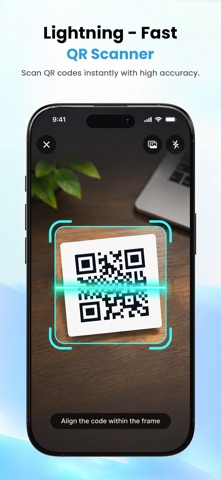
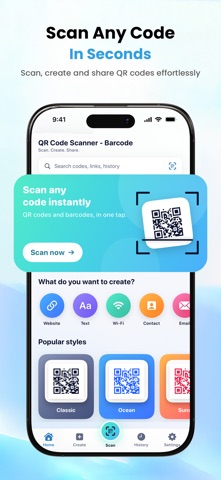
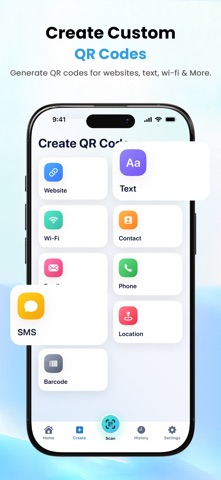
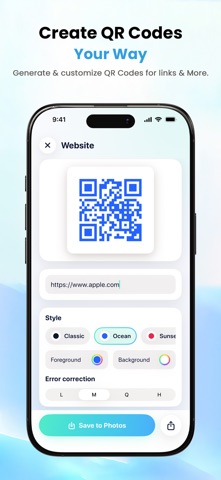
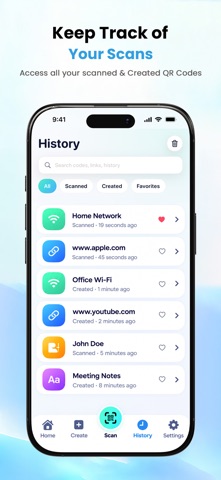
All QR Code Scanner - Barcode is a fast, clean and private QR code and barcode scanner and maker for iPhone. SCAN IN A BLINK • Point your camera at a QR code or barcode and get the result instantly • Scan from a photo or screenshot in your library • Flashlight for dark places and pinch to zoom for small codes • Supports QR, EAN-13, EAN-8, UPC-E, Code 128, Code 39, Code 93, PDF417, Aztec, Data Matrix and ITF-14 SMART ACTIONS FOR EVERY CODE • Websites: open the link • Phone numbers: call • Email and SMS: write a message • Locations: open in Maps • Contacts: add to your contacts • Wi-Fi: see the network and copy the password • Product barcodes: search the web • Text: copy or share SAFER SCANNING The app shows what is inside a code before anything happens, and warns you about risky links: unencrypted http links, shortened links and look-alike websites. CREATE YOUR OWN QR CODES • Website, Text, Wi-Fi, Contact, Email, Phone, SMS, Location and Barcode • Live preview as you type • Style presets and custom colors • Choose the error correction level • Save a high-resolution image to Photos or share it anywhere HISTORY AND FAVORITES • Every scan and creation is saved on your device • Search, filter by scanned, created or favorites • Swipe to favorite or delete, or clear everything • Turn history off any time in Settings PRIVATE BY DESIGN • No account, no ads, no tracking • Everything stays on your iPhone: scans, images and history are never uploaded • Camera access is used only to read codes MADE FOR iPHONE • Haptic feedback • Available in English, Spanish, French, German, Hindi, Portuguese, Thai, Chinese, Japanese, Russian, Turkish and Vietnamese Questions or ideas? Visit our support page from Settings > Support.
具体兼容设备、系统要求及购买条件以 App Store 显示为准。